Software for independent pilates studios
Every instructor knows every body.
Each client's springs, headrest, footbar and body notes, right on the reformer they booked. Plus booking, packs, memberships, your website and a client app. One monthly price, no contract.
No card needed. Your reformers, two starter classes and typical pricing are set up for you.
Class list
Reformer Flow
Tue 7:00 AM · Maya Chen
10 of 12
Instructor
Priya Nair Level 2
R4 · 38th class · usually R4
- Springs
- 2 red + 1 blue
- Headrest
- Down
- Footbar
- 2nd notch
Body note
Lower back, sensitive in flexion.
Consider bent-knee footwork; swap rolling like a ball for pelvic curl.
FreeBookedYour reformer
Built around your room
Capacity is your reformers, not a number in a box.
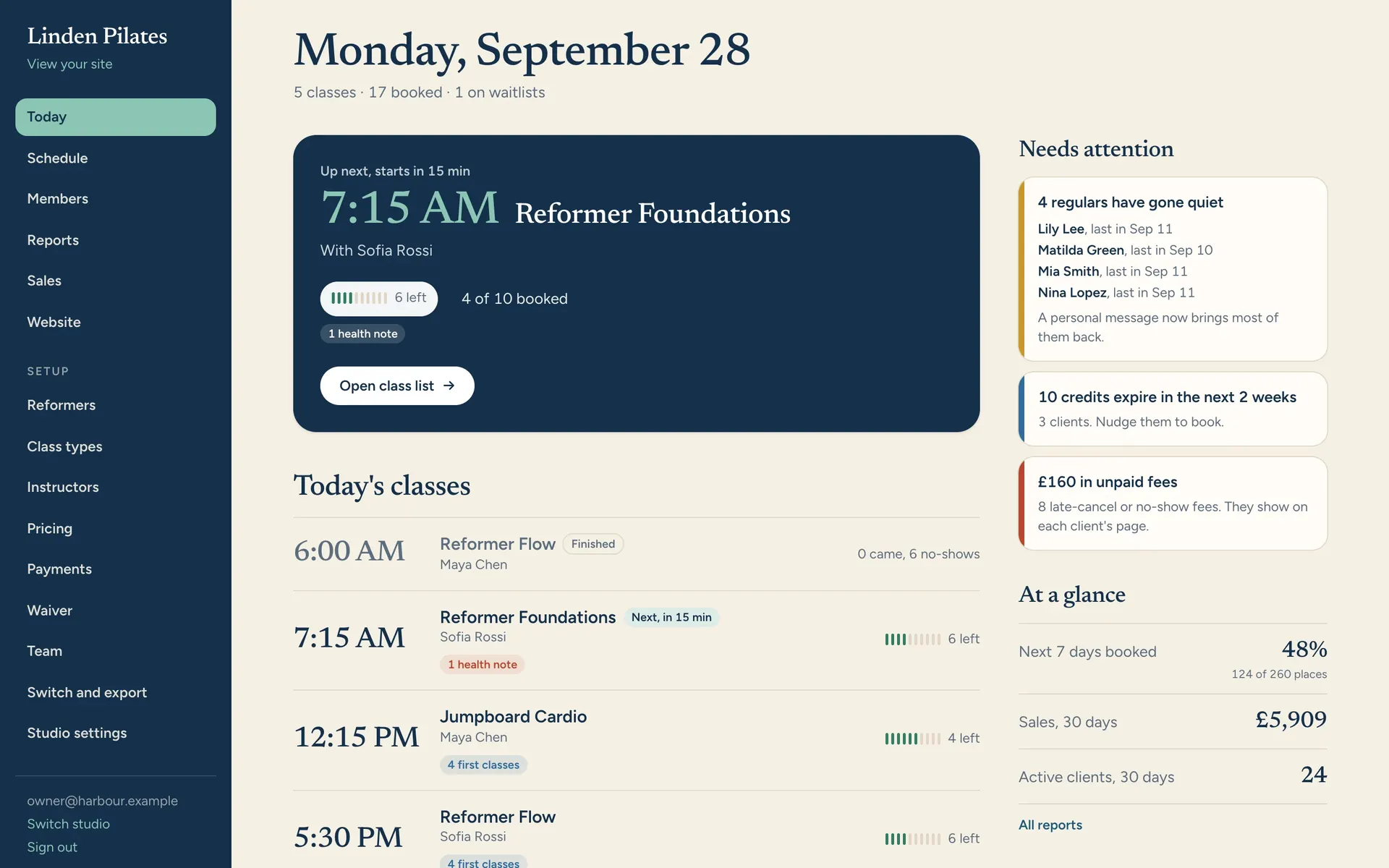
Lay out your machines the way they sit in the room. Clients choose R4 or the back corner, instructors see who is where, and a machine out for repair comes off the schedule with one switch.
Instructors
The whole class, at a glance.
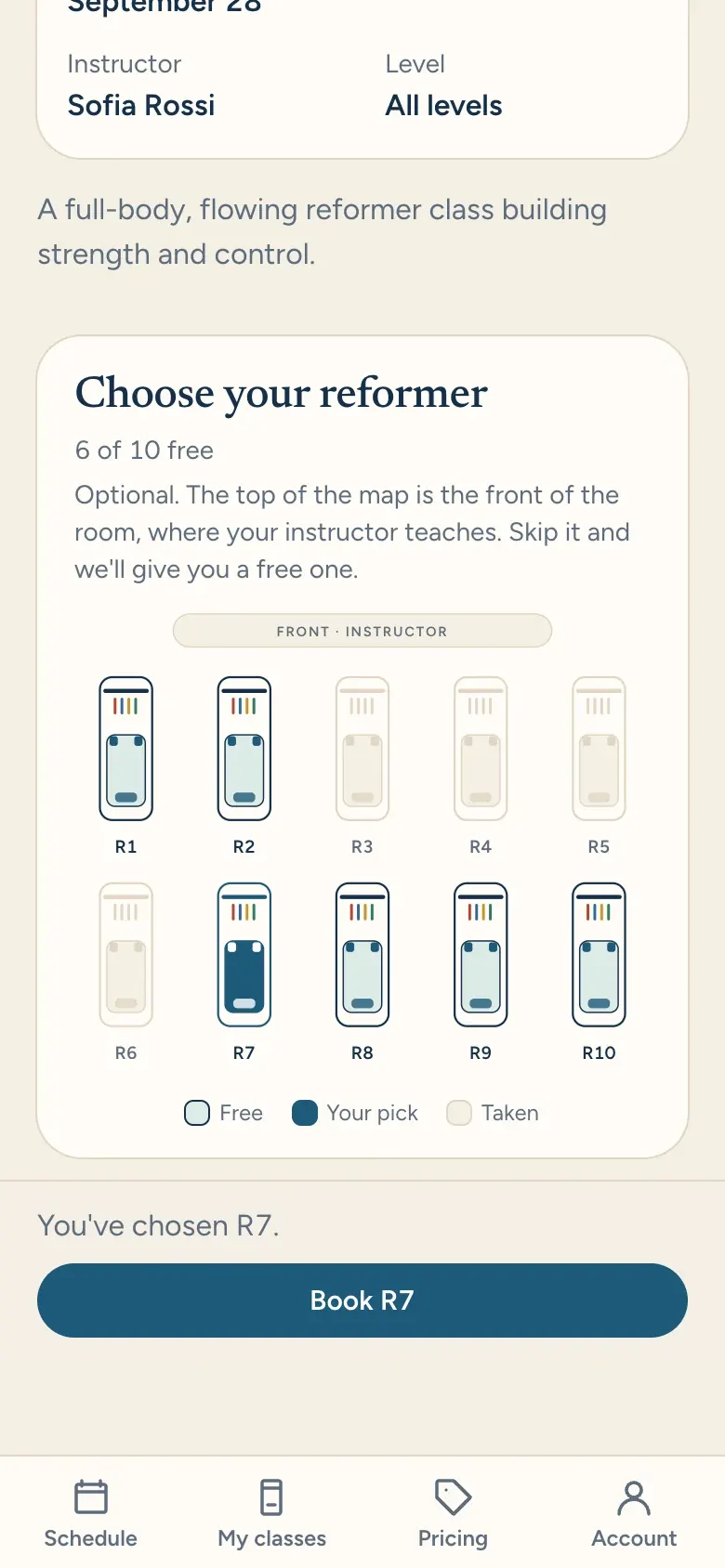
Tap a reformer on the class list and see who's on it: their springs, headrest and footbar, and what their body needs today. Pregnant at 24 weeks, a new hip, osteoporosis, each with prompts on what to watch for. Update it in a tap after class, so the next instructor knows too.
- Setups shown in your machines' spring colours
- Body notes with trimester-aware prompts
- Level sign-off in one tap, or automatic after a few classes
Your clients
Booking that takes seconds, on your own address.
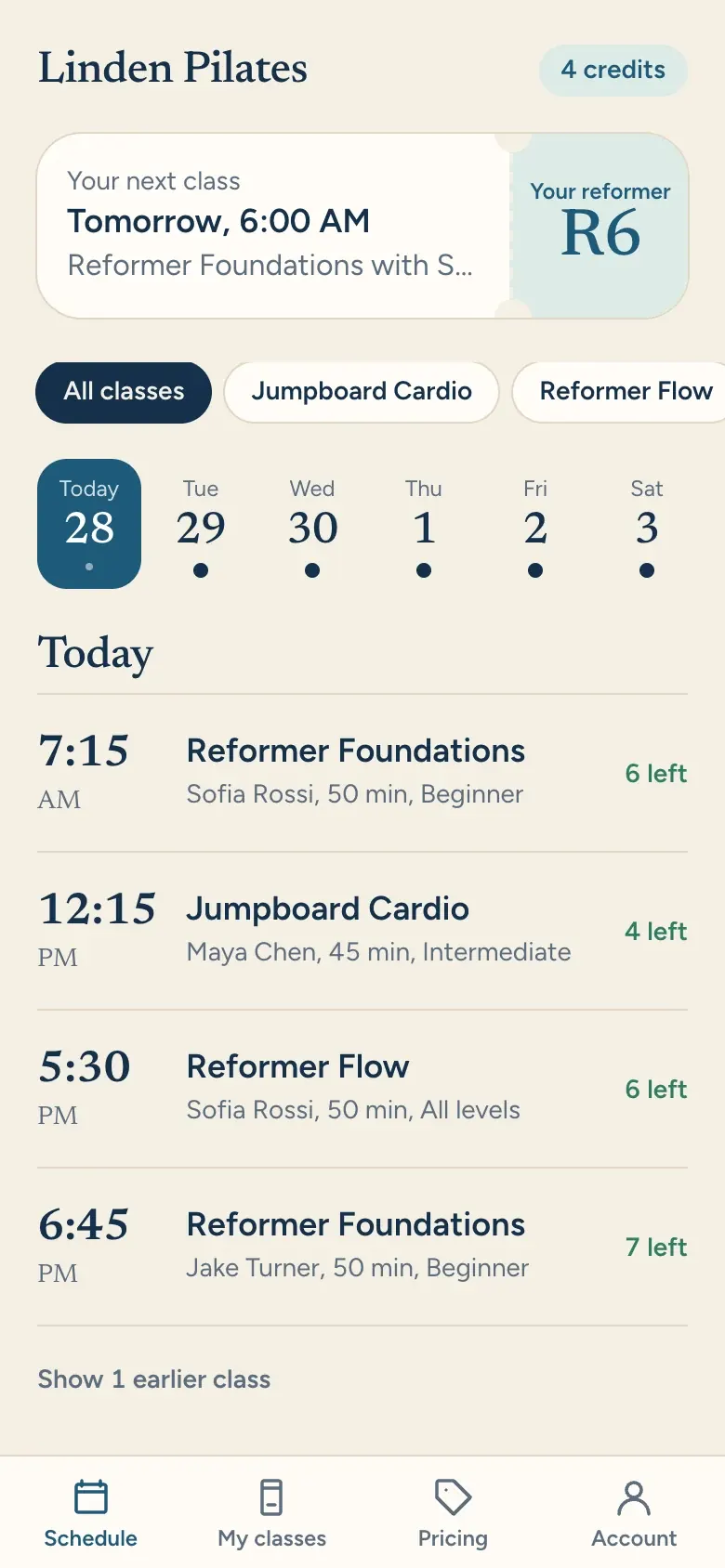
Clients see the week, pick a class, then pick their reformer from a map of your room. Waitlists move themselves and email the next person.
- Nothing to download
- Pick-your-reformer map
- Confirmations, reminders and add-to-calendar
Your website
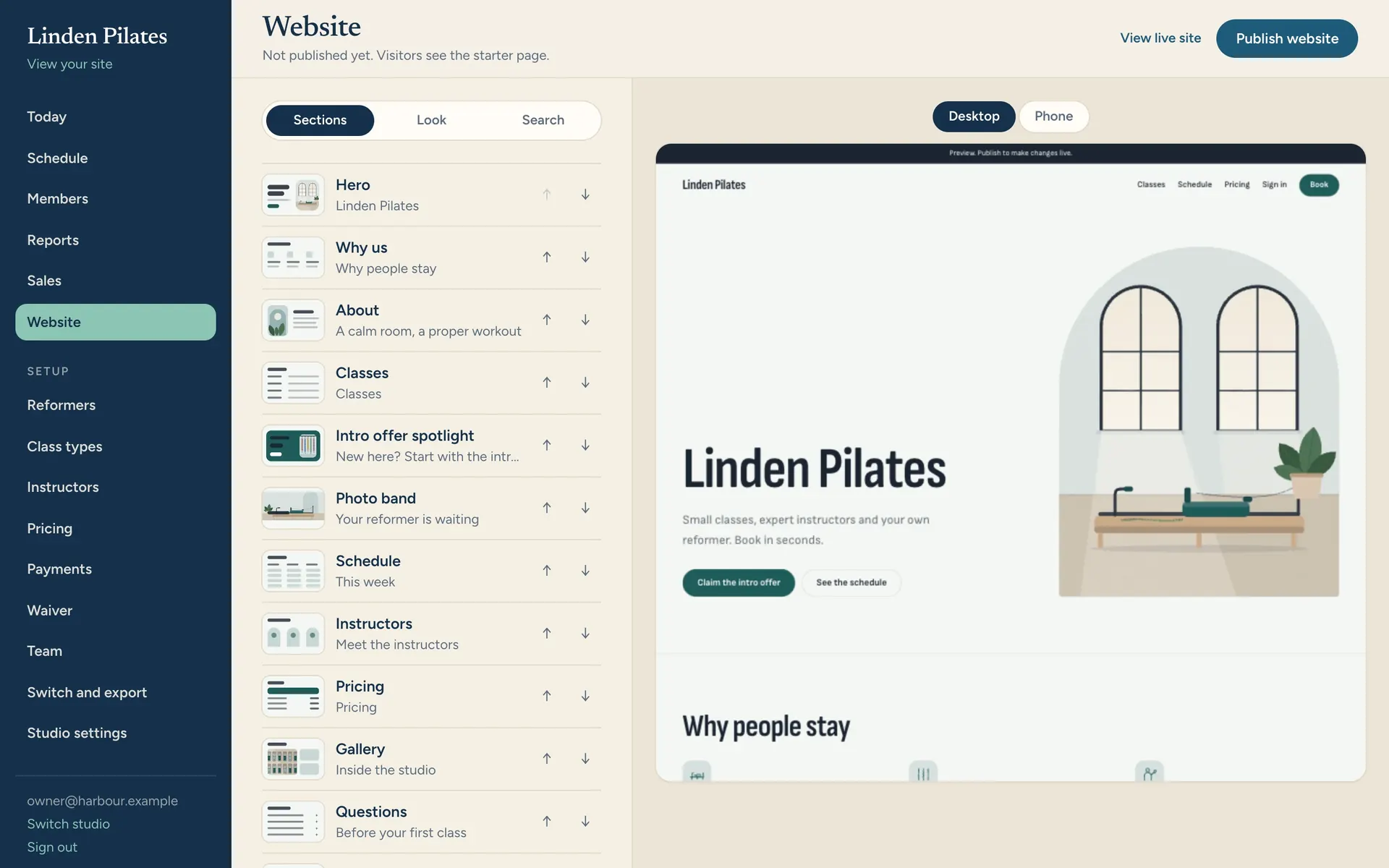
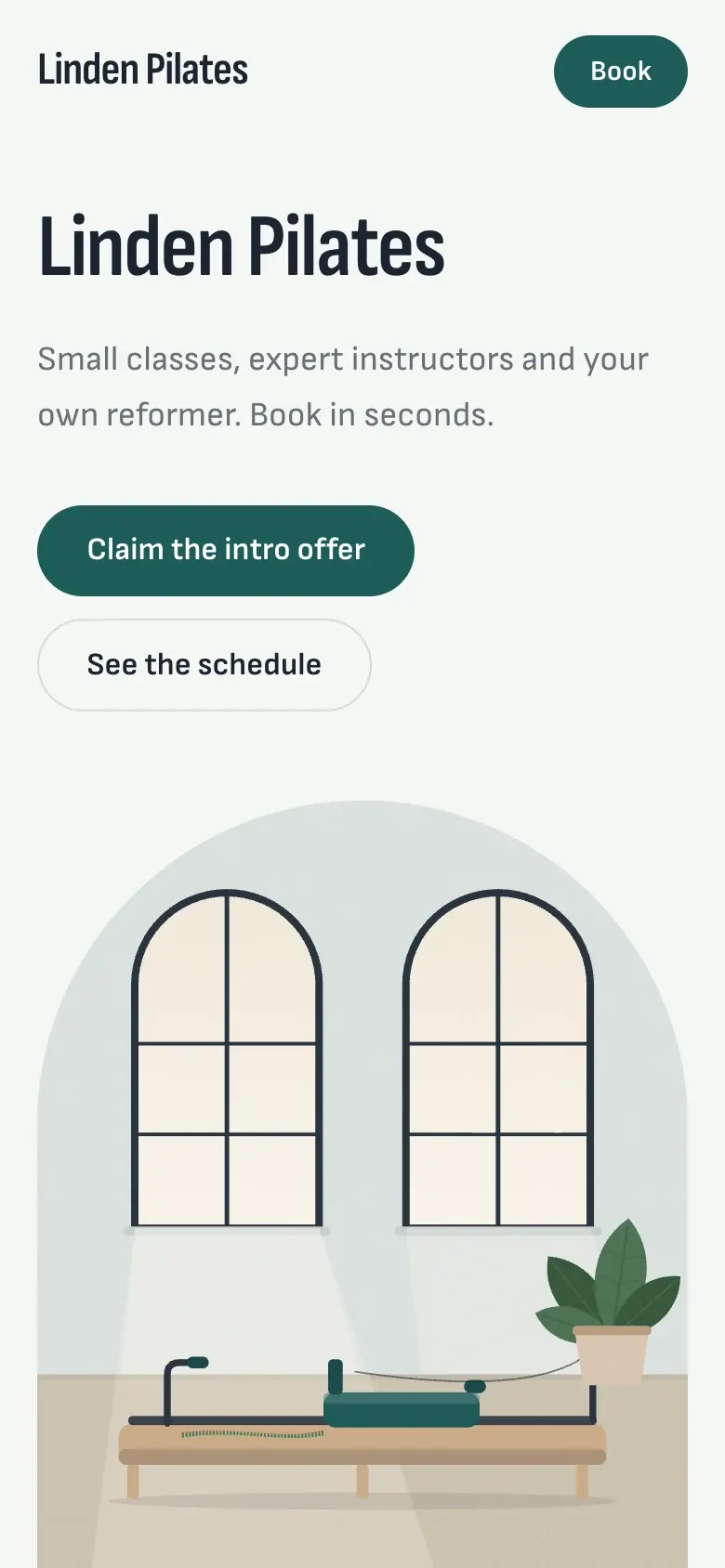
A website that looks like your studio, included.
Pick a look, change the colours and fonts, drop in your photos. Your live schedule, prices and instructors fill themselves in. Fast, built for search, no iframes.
- Eight designed looks
- Illustrations until your photos are ready
- Publish when you're happy
Owners
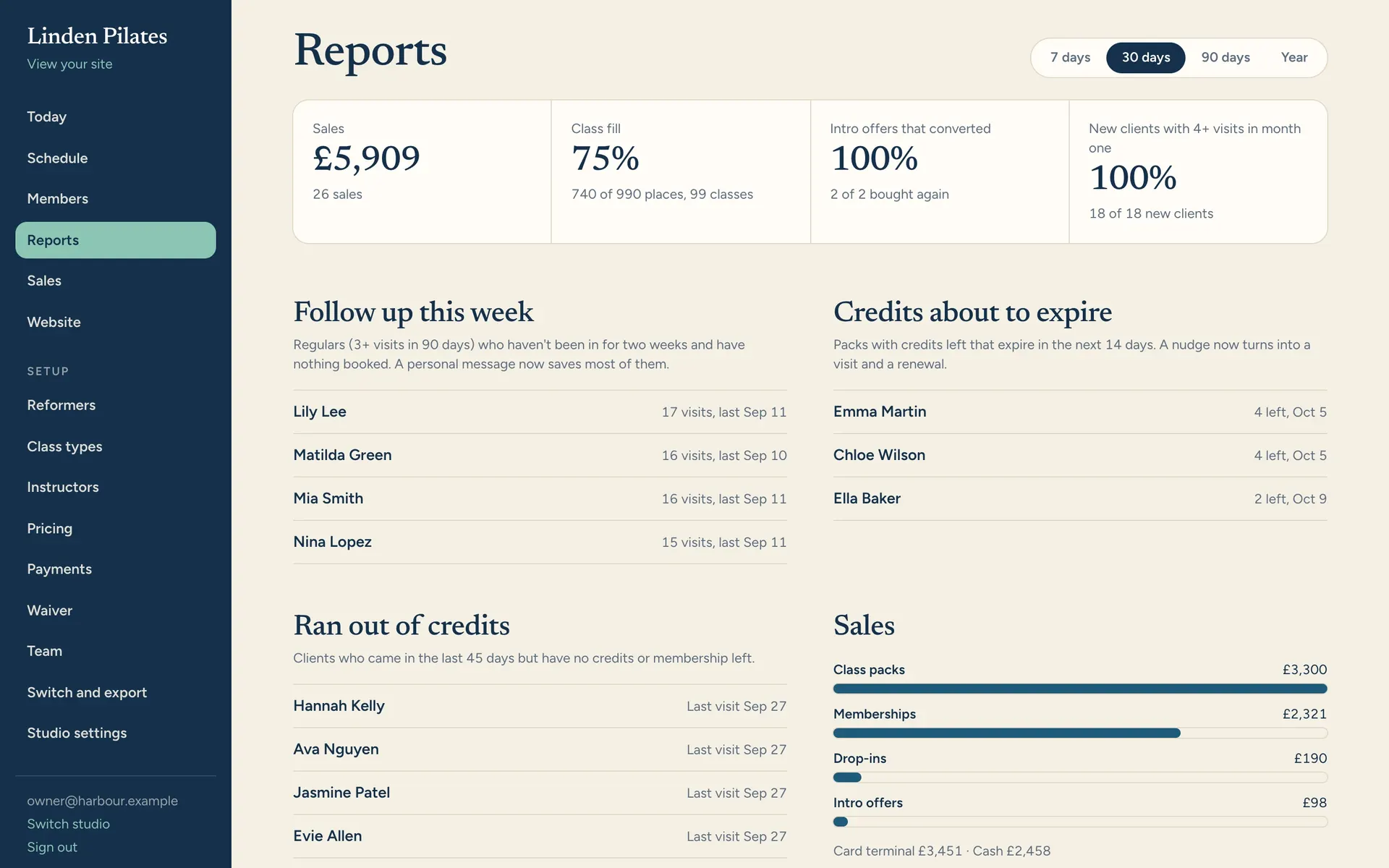
Numbers you can act on, not just look at.
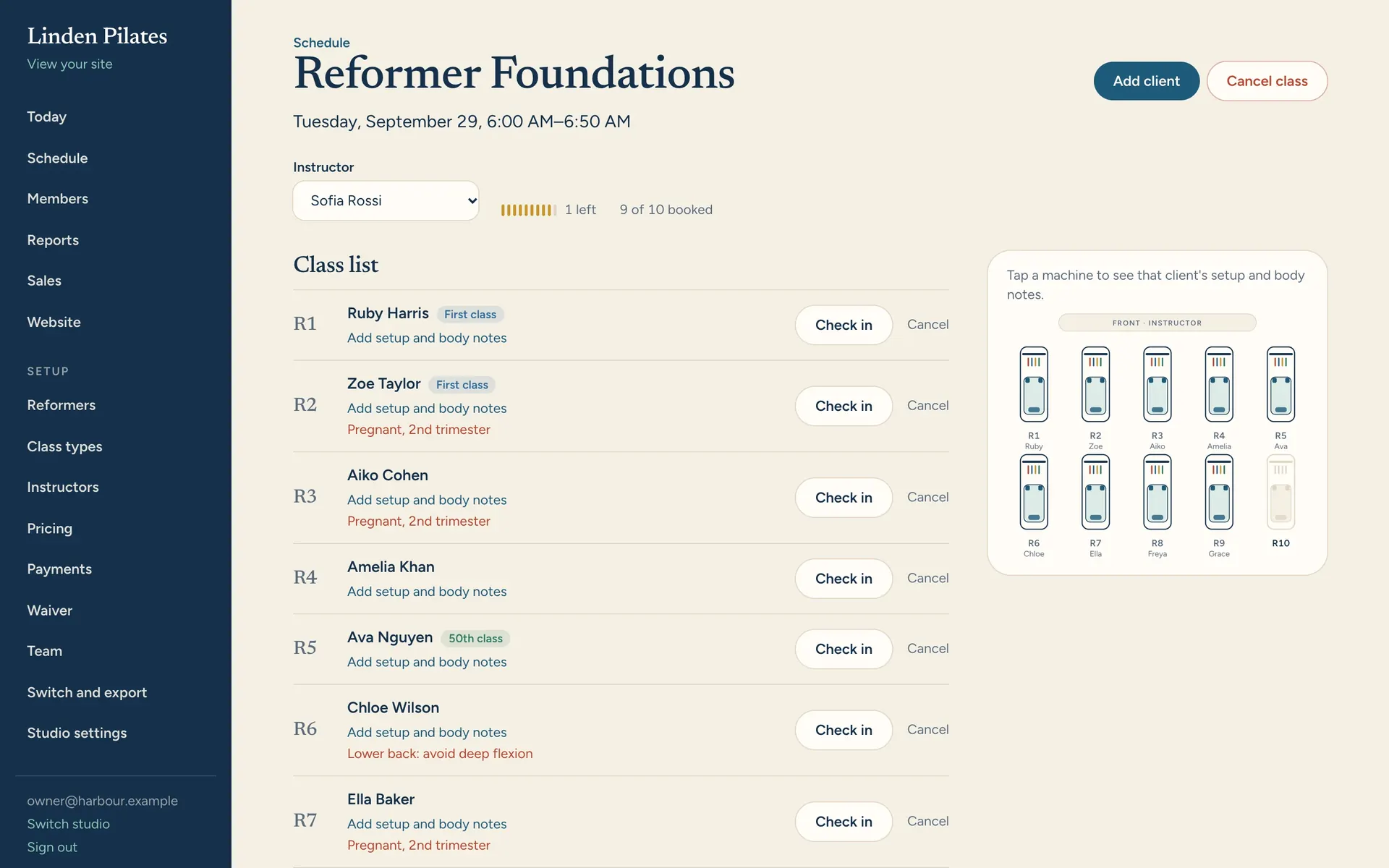
Sales, class fill by slot and instructor, intro-offer conversion, and a list of regulars who've gone quiet, so you know who to message this week.
- Regulars at risk, by name
- Credits about to expire
- Every report exports to CSV
Most studio software was built for a gym.
Then it was sold to pilates studios. You can tell by what it thinks a class is.
One system for everyone in the room.
Owners
Know how the studio is doing without a spreadsheet.
- Reports on revenue, fill rate, intro-offer conversion and clients who have gone quiet
- Intro offers, class packs and memberships, with rules for which classes they cover
- Late-cancel and no-show policy per class type
- A website with your live schedule and prices, built for search, no iframes
- Payroll from the classes actually taught, at the rate on the day, with a CSV for your bookkeeper
- Automatic emails that bring clients back, written your way
- Spring and equipment care: hours of use per reformer, and a reminder when springs are due
- Logins for managers, front desk and instructors, each seeing only what they need
Front desk
Two taps for the things that happen fifty times a day.
- Check clients in from a tablet
- Book, waitlist or comp a client straight from the class list
- Sell packs and memberships at the desk, by cash or card terminal
- Record a waiver signed on paper
Instructors
Walk in knowing who is on which reformer.
- Class list with reformer numbers and the floor map
- Injuries, surgery and pregnancy from the health form, flagged by name
- First class and 50th, 100th class flags, so you can say something
- Ask for cover, or pick up a class, from their phone
- Their own schedule and pay, class by class
Your clients
Booking that takes seconds, on your own address.
- A web app on your studio's address. Nothing to download
- Pick their reformer, or let the studio assign one
- Waitlist offers, confirmations, reminders and receipts by email
- Book the same class every week, on their usual reformer
- Bring a friend onto the reformer next to theirs
- A calendar that updates itself when they book or cancel
- Sign your waiver and health form once, online, before their first class
Switch in a weekend. Leave in a click.
Moving is the scary part, so we made it short. And because you can take everything with you at any time, you never have to stay.
Import your clients
Upload the CSV export from Mindbody, Momence, Arketa or a spreadsheet. Names, contact details, notes and remaining credits.
Set up your room and prices
Lay out your reformers, add your classes and packs. The basics are already there when you start.
Publish your booking page
Pick a look for your website, publish, and send clients your booking link. Run both systems side by side until you're ready.
Export any time
Every client, booking, credit and sale downloads in one click. No fee, no notice period, no phone call.
One price. Everything included.
Month to month, no setup fee. Every plan has every feature; plans differ only by size.
Starter
Opening, or one small room
$99a month
Start free- Up to 150 active clients
- 3 staff logins
- 1 room of equipment
- Every feature below
- Guided setup in under an hour
- Email support, reply within a working day
Recommended
Studio
An established reformer studio
$199a month
Start free- Up to 500 active clients
- Unlimited staff logins
- Up to 3 rooms
- Every feature below
- We import your clients and credits for you
- Support by email and chat, same day
Pro
Busy studios and teacher trainings
$299a month
Start free- Unlimited active clients
- Unlimited staff logins
- Unlimited rooms
- Every feature below
- White-glove switch, run side by side
- Priority support with a named person
Everything below is in every plan.
Elsewhere, the website, emails, automations and payroll are add-ons or higher tiers. Here they're simply part of it.
- BookingPick-your-reformer bookingClients choose their machine from a map of your room. Capacity follows your equipment.
- BookingWaitlists that move themselvesAuto-promote or timed offers, position shown, and fair rules for late cancels.
- BookingLate-cancel and no-show rulesPer class type: keep the credit, charge the fee, or waive it in one tap.
- BookingWeekly bookingsRegulars keep their Tuesday 7am. Booked as each class comes up, with a cap so there's room for everyone.
- BookingPrivates, duets and triosBooked on real machines with one instructor. Nobody and nothing is ever double-booked.
- MoneyPacks, intro offers, membershipsCredits by class type, expiry dates, weekly or monthly caps, one-per-person intros.
- ClientsClient web appBook, cancel and join waitlists from their phone. Nothing to download.
- ClientsBring a friendClients book a friend onto the next reformer. Their friend gets the details and your waiver.
- ClientsEmails that send themselvesConfirmations, reminders, waitlist offers, receipts and last-credit nudges.
- ClientsWaiver and health formSigned online once, versioned, with injuries and pregnancy flagged for instructors.
- StudioClass lists and check-inReformer numbers, first-timers, milestones and health notes on every list.
- StudioEvery client's setupSprings, headrest and footbar saved per client, in your machines' colours, on the class list.
- StudioRoles for your teamOwner, manager, front desk and instructor, each seeing only what they need.
- StudioCover requestsOnly qualified, free instructors are asked. First to accept takes it; clients are told.
- StudioPayrollPer class, per head, minimums and cover bonuses. A CSV per instructor for your bookkeeper.
- StudioSpring careHours of use on every reformer, and a reminder when the springs are due.
- GrowthYour website, includedDesigned looks, your live schedule and prices, built for search. No iframes.
- GrowthReports you can act onFill by slot, intro conversion, and the regulars who've gone quiet, by name.
- GrowthAutomatic emailsFirst-class follow-up, expiring credits, milestones, birthdays and win-backs. In your words.
- GrowthImport and exportBring clients and credits over from your old system. Take everything out any time.
Included Online card payments through your own Stripe account. You pay Stripe's standard rate and nothing on top: 0% platform fee.
What a platform fee costs you
$
$10,800 a year, before your software bill. With Pilatis: $0.
Typical prices elsewhere
- Mindbody
- $159–$499 a month Branded app about $249–$299 a month more. Contracts up to 24 months reported.
- Arketa
- About $149–$699 a month Website $199 a month plus a $2,800 build. 3% platform fee on solo plans.
- Walla
- $299–$599 a month Website $2,800 plus $199 a month.
- Momence
- $60–$199 a month listed Real spend often $250+. Platform fee up to 5% depending on plan.
Published or reported prices for a single-location studio, September 2026. Vendors change prices often and several only quote on a sales call.
Questions owners ask
Can I try it before I switch?
Yes. Create your studio for free, set up your reformers, classes and prices, and run it alongside your current system until you're ready.
How do I move my clients over?
Export your client list as a CSV from your current software and import it. Names, emails, phone numbers and notes come across, and remaining class credits can too.
Can clients pay online?
Yes. Connect your own Stripe account and clients buy packs, intro offers and memberships by card, with Apple Pay and Google Pay. The money goes straight to your Stripe account and we add nothing on top. Memberships renew automatically and clients can cancel themselves. You can still sell at the desk by cash or card terminal.
Do my clients need to download an app?
No. They book on a web app at your studio's own address and can add it to their home screen. One sign-in with their email, no passwords.
Does it handle mat, tower and chair classes?
Yes. Each spot in a room can be a reformer, tower, chair, barrel or mat, laid out on your floor map. Capacity follows the spots you have.
Do automations, payroll or cover requests cost extra?
No. They're in every plan, along with your website and client emails. Text messages aren't available yet; everything goes by email for now.
What happens to my data if I leave?
You take it with you. One click exports every client, booking, credit and sale. There's no fee and no contract to wait out.
Which countries do you support?
The US, UK, Canada, Australia, New Zealand and Ireland, with your local currency and time zone.

Open your studio's booking page this afternoon.
Set up your room, classes and prices, then share the link. Free until you decide to switch.
Start free